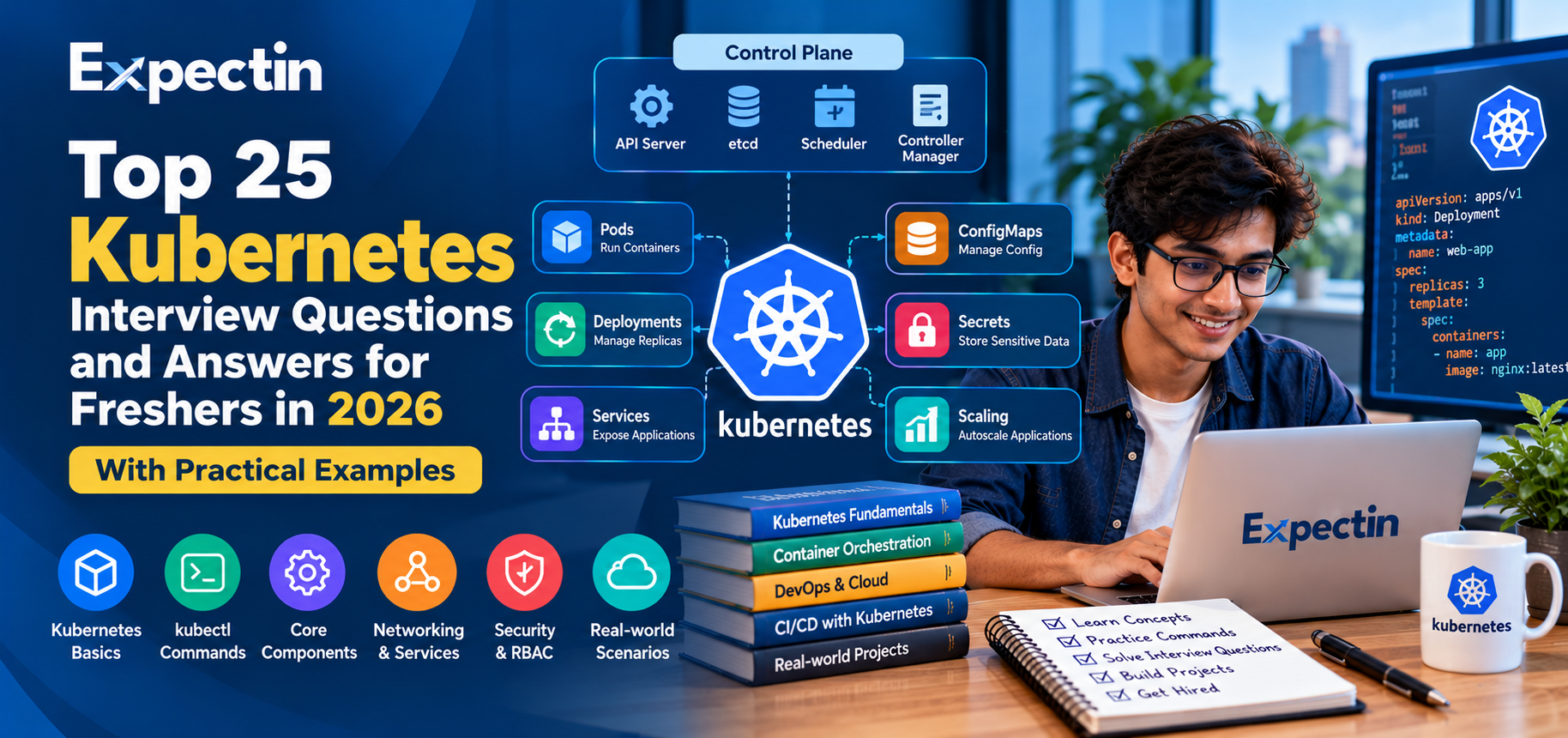
Top 25 Kubernetes Interview Questions and Answers for Freshers in 2026
Kubernetes has become an important technology for deploying, scaling, and managing containerized applications. Organizations use it to automate application deployment, maintain service availability, and manage workloads across clusters of machines.
If you are preparing for a DevOps Engineer, Cloud Engineer, Site Reliability Engineer, or Platform Engineer interview, understanding Kubernetes fundamentals can help you build a strong technical foundation.
In this Expectin guide, we cover 25 common Kubernetes interview questions and answers, including practical examples and troubleshooting concepts for beginners.
1. What Is Kubernetes?
Kubernetes is an open-source container orchestration platform that automates the deployment, scaling, and management of containerized applications.
It helps teams manage application workloads across a cluster of machines.
Common Kubernetes capabilities include:
Deploying and managing containers
Scaling application replicas
Service discovery and load distribution
Restarting or replacing failed workloads
Rolling out application updates
Managing configuration and sensitive data
Scheduling workloads across cluster nodes
Kubernetes does not build application containers by itself. It coordinates workloads using a container runtime and other cluster components.
2. What Is a Kubernetes Cluster?
A Kubernetes cluster consists of a control plane and worker nodes.
Control plane: Manages the cluster's desired state and coordinates operations.
Worker nodes: Run application workloads through Pods.
Important control-plane components include:
kube-apiserver
etcd
kube-scheduler
kube-controller-manager
Worker nodes commonly run:
kubelet
A container runtime
kube-proxy, depending on the cluster networking implementation
The exact architecture can vary by Kubernetes distribution and networking configuration.
3. What Is a Pod in Kubernetes?
A Pod is the smallest deployable unit in Kubernetes.
A Pod contains one or more containers that share certain resources, such as network identity and, when configured, storage volumes.
Pods are generally managed through higher-level resources such as Deployments or StatefulSets rather than created individually for long-running applications.
Example Pod manifest:
apiVersion: v1
kind: Pod
metadata:
  name: nginx-pod
spec:
  containers:
    - name: nginx
      image: nginx:stable
      ports:
        - containerPort: 80
This manifest describes a Pod running an NGINX container. For production use, select trusted image versions and apply suitable security and resource settings.
4. What Is a Deployment?
A Deployment manages a set of replicated, stateless Pods and supports declarative updates.
It helps maintain the desired number of replicas and provides rolling update and rollback capabilities.
Example:
apiVersion: apps/v1
kind: Deployment
metadata:
  name: nginx-deployment
spec:
  replicas: 3
  selector:
    matchLabels:
      app: nginx
  template:
    metadata:
      labels:
        app: nginx
    spec:
      containers:
        - name: nginx
          image: nginx:stable
          ports:
            - containerPort: 80
This configuration requests three replicas of the application.
A Deployment is useful when you want Kubernetes to maintain a desired number of interchangeable application Pods.
5. What Is the Difference Between a Pod and a Deployment?
A Pod runs one or more containers. A Deployment manages replicated Pods and helps maintain the desired application state.
Creating a standalone Pod does not provide the same rollout and replica-management features as a Deployment.
For most stateless applications, a Deployment is the usual starting point because it supports scaling and controlled updates.
6. What Is a Kubernetes Service?
A Service provides a stable way to access a logical group of Pods.
Pods can be replaced, and their IP addresses can change. A Service provides a consistent endpoint for connecting to selected Pods.
Common Service types include:
ClusterIP: Exposes a service internally within the cluster.
NodePort: Exposes a service through a port on eligible cluster nodes.
LoadBalancer: Requests an external load balancer through a supported environment or integration.
ExternalName: Maps a Service name to an external DNS name.
The correct type depends on how the application should be accessed.
7. What Is a Namespace?
A Namespace provides a way to organize and separate groups of Kubernetes resources within a cluster.
Namespaces are often used to separate environments, teams, or application components.
Example:
kubectl create namespace staging
kubectl get pods -n staging
kubectl get services -n staging
Namespaces help with resource organization and can be used with access controls and resource quotas. They are not, by themselves, a complete security boundary.
8. What Is a ConfigMap?
A ConfigMap stores non-confidential configuration data as key-value pairs.
Applications can consume ConfigMaps through environment variables, command-line arguments, or mounted files.
Example:
apiVersion: v1
kind: ConfigMap
metadata:
  name: app-config
data:
  APP_ENV: "staging"
  LOG_LEVEL: "info"
ConfigMaps are useful for separating application configuration from container images.
Do not store passwords, API keys, or other confidential information in ConfigMaps.
9. What Is a Kubernetes Secret?
A Secret stores sensitive configuration data, such as credentials or tokens, for use by Pods and other Kubernetes resources.
Secrets can be exposed to containers through environment variables or mounted files.
However, Secret data is not automatically safe merely because it is stored in a Secret object. Access permissions, encryption at rest, secure delivery, and audit practices matter.
Good practices include:
Restricting access through RBAC
Avoiding secrets in source code and container images
Enabling appropriate encryption at rest
Limiting which workloads can access each secret
Using an external secrets manager where appropriate
10. What Is the Difference Between ConfigMap and Secret?
A ConfigMap is intended for non-confidential configuration, such as an application environment name or log level.
A Secret is intended for sensitive information, such as credentials or tokens.
Both help separate configuration from application code, but Secrets require additional security controls.
Neither resource should be treated as a replacement for proper access management.
11. What Is a ReplicaSet?
A ReplicaSet maintains a specified number of matching Pod replicas.
If a Pod managed by a ReplicaSet disappears, the controller attempts to create a replacement to maintain the desired replica count.
Deployments usually manage ReplicaSets for applications, allowing them to support rolling updates and rollbacks.
In most application deployments, you manage the Deployment instead of creating and updating ReplicaSets directly.
12. What Is a StatefulSet?
A StatefulSet manages applications that need stable identities or persistent storage associations.
It is commonly used for workloads such as databases and distributed systems when their operational requirements fit the StatefulSet model.
StatefulSets can provide:
Stable Pod identities
Predictable Pod naming
Ordered deployment and scaling behavior
Persistent volume associations when configured
A StatefulSet does not automatically make an application highly available. The application itself still needs suitable replication, recovery, and data-management strategies.
13. What Is a DaemonSet?
A DaemonSet ensures that a Pod runs on each eligible node, according to its scheduling rules.
DaemonSets are commonly used for node-level functions such as:
Log collection agents
Monitoring agents
Network components
Security and infrastructure agents
As nodes are added to or removed from the cluster, the DaemonSet controller adjusts its Pods to match the eligible nodes.
14. What Is a Job and a CronJob?
A Job manages Pods that run a task to completion.
A CronJob creates Jobs according to a schedule.
Examples include:
Data processing tasks
Scheduled reports
Database maintenance
Periodic cleanup operations
Batch processing
Example CronJob:
apiVersion: batch/v1
kind: CronJob
metadata:
  name: daily-task
spec:
  schedule: "0 2 * * *"
  jobTemplate:
    spec:
      template:
        spec:
          restartPolicy: OnFailure
          containers:
            - name: task
              image: busybox:stable
              command: ["sh", "-c", "echo Scheduled task"]
This example schedules a simple task at 02:00 according to the cluster's CronJob scheduling time convention. In real deployments, configure the task, time zone requirements, resource limits, and failure-handling behavior appropriately.
15. What Is a Kubernetes Node?
A Node is a machine that runs Pods within a Kubernetes cluster. It can be a physical machine or a virtual machine.
The control plane schedules workloads onto eligible nodes based on resource availability, scheduling constraints, and other requirements.
Useful commands include:
kubectl get nodes
kubectl describe node <node-name>
kubectl top nodes
The kubectl top command requires the relevant resource metrics to be available in the cluster.
16. What Is the kube-apiserver?
The kube-apiserver exposes the Kubernetes API and acts as the main interface for cluster management.
Tools such as kubectl communicate with the API server to create, read, update, and delete Kubernetes resources.
The API server also handles authentication, authorization, and admission processing for API requests.
Protecting access to the API server is essential because it is a central control point for the cluster.
17. What Is etcd?
etcd is a distributed key-value store used by Kubernetes to persist cluster state and configuration.
Kubernetes control-plane components rely on the API server to interact with this state.
Important operational practices include:
Restricting access to etcd
Protecting communication with appropriate encryption
Taking backups according to the cluster's recovery requirements
Testing restore procedures
Monitoring etcd health and performance
A backup is useful only if it can be restored successfully when needed.
18. What Is the kube-scheduler?
The kube-scheduler selects suitable nodes for newly created Pods that have not yet been assigned to a node.
It considers factors such as available resources, scheduling constraints, affinity rules, taints, and tolerations.
The scheduler assigns a Pod to a suitable node, after which the node's kubelet works to make the Pod's containers run.
A Pod remaining in the Pending state may indicate insufficient resources, scheduling restrictions, or other placement problems.
19. What Is a Liveness Probe?
A liveness probe checks whether a container is still functioning in a way that allows it to continue running.
If a liveness probe repeatedly fails according to its configured thresholds, Kubernetes can restart the container.
Liveness probes should detect situations where restarting the application is an appropriate recovery action.
They should not be configured so aggressively that temporary slowdowns cause repeated unnecessary restarts.
20. What Is a Readiness Probe?
A readiness probe checks whether a container is ready to serve requests.
When a container is not ready, Kubernetes can remove it from the eligible endpoints of Services that select it.
Readiness probes help prevent traffic from reaching an application before it is ready.
Readiness and liveness probes serve different purposes. A failed readiness probe does not, by itself, cause a container restart.
21. What Is a Startup Probe?
A startup probe helps applications that need extra time to initialize.
While the startup probe has not succeeded, Kubernetes does not run the configured liveness and readiness probes for that container.
This can prevent a slow-starting application from being restarted prematurely by a liveness probe.
Use startup probes when initialization time is variable or longer than the normal liveness-probe window.
22. What Is Horizontal Pod Autoscaling?
Horizontal Pod Autoscaling (HPA) adjusts the number of Pod replicas according to configured metrics and scaling behavior.
It can use supported resource metrics, such as CPU utilization, and other metrics when the required integrations are available.
Example:
kubectl autoscale deployment nginx-deployment \
  --cpu-percent=60 \
  --min=2 \
  --max=10
This requests an HPA for the Deployment, with a minimum of two and maximum of ten replicas and a target CPU utilization of 60%.
The cluster must have the necessary metrics available for CPU-based autoscaling. HPA adjusts Pod replicas; it does not automatically add more worker nodes unless a separate node-scaling mechanism is configured.
23. What Is RBAC in Kubernetes?
Role-Based Access Control (RBAC) determines which authenticated identities can perform which actions on Kubernetes resources.
Important RBAC objects include:
Role
ClusterRole
RoleBinding
ClusterRoleBinding
A Role normally defines permissions within a namespace. A ClusterRole can define permissions at the cluster level or be reused in namespace-level bindings.
A RoleBinding grants the permissions defined by a Role or ClusterRole within a namespace. A ClusterRoleBinding grants ClusterRole permissions across the cluster scope.
Follow the principle of least privilege and avoid granting broad administrator permissions unless they are genuinely required.
24. How Do You Troubleshoot a Pod in CrashLoopBackOff?
CrashLoopBackOff indicates that a container is repeatedly failing and Kubernetes is delaying subsequent restart attempts.
A systematic investigation might include:
kubectl get pods
kubectl describe pod <pod-name>
kubectl logs <pod-name>
kubectl logs <pod-name> --previous
kubectl get events --sort-by=.metadata.creationTimestamp
Check for:
Application errors
Invalid commands or startup configuration
Missing environment variables
Failed dependencies
Incorrect permissions
Memory limits and OOMKilled events
Failed health checks
Missing or incorrectly mounted files
The correct fix depends on the actual error. Avoid repeatedly deleting Pods without first understanding why the container is failing.
25. What Is the Difference Between Rolling Updates and Rollbacks?
A rolling update gradually replaces existing application Pods with new ones according to the Deployment's rollout strategy.
A rollback returns a Deployment to an earlier revision when that revision is available and appropriate.
Useful commands include:
kubectl rollout status deployment/nginx-deployment
kubectl rollout history deployment/nginx-deployment
kubectl rollout undo deployment/nginx-deployment
Rolling updates help reduce disruption during application releases. Rollbacks can help recover from problematic releases, but they do not automatically reverse database migrations or other external changes.
Practical Kubernetes Projects for Beginners
Hands-on projects help you understand how Kubernetes components work together.
Project 1: Deploy a Web Application
Create a Deployment for a simple web application and expose it through a Service.
Practise checking Pod status, reading logs, scaling replicas, and updating the container image.
Project 2: Configure Application Settings
Create a ConfigMap and use it to provide configuration to an application.
Learn how configuration changes are applied and when a Pod restart or rollout may be needed.
Project 3: Add Health Probes
Configure readiness and liveness probes for a test application.
Observe how Kubernetes responds when the application becomes unhealthy or temporarily unavailable.
Project 4: Configure Resource Requests and Limits
Set CPU and memory requests and limits for a workload.
Observe scheduling behavior and investigate what happens when a container exceeds its memory limit.
Project 5: Practise Troubleshooting
Intentionally introduce a harmless configuration error in a test environment.
Use kubectl describe, logs, events, and resource status to find the root cause, then correct the problem.
Use a local or isolated learning cluster, avoid exposing its API publicly, and remove unused resources when finished.
Kubernetes Interview Preparation Tips
Understand core objects
Be able to explain Pods, Deployments, Services, ConfigMaps, Secrets, StatefulSets, and namespaces.
Practise kubectl commands
Learn how to inspect resources, read logs, describe Pods, check events, and examine rollout status.
Understand networking
Study how Services provide stable endpoints, how DNS works inside a cluster, and how network policies and external traffic routing are configured.
Learn resource management
Understand requests, limits, scheduling, autoscaling, and common causes of Pending or OOMKilled Pods.
Prepare for troubleshooting scenarios
Practise explaining how you would investigate a failing Pod, unavailable Service, failed deployment, or application that cannot reach a dependency.
Learn security fundamentals
Study RBAC, service accounts, Secrets, container security, image management, and secure API access.
Find DevOps and Kubernetes Jobs on Expectin
Kubernetes knowledge can be useful for several technical career paths, including:
DevOps Engineer
Kubernetes Administrator
Cloud Engineer
Site Reliability Engineer
Platform Engineer
Infrastructure Engineer
Cloud Operations Engineer
Requirements vary by employer. Some entry-level roles focus on Linux, containers, and basic Kubernetes concepts, while others require production troubleshooting, networking, automation, and cluster administration experience.
Visit https://expectin.com to explore available job opportunities and check each vacancy's technical requirements, experience range, location, and application instructions.
Frequently Asked Questions
Is Kubernetes suitable for freshers?
Yes. Freshers can learn Kubernetes fundamentals and apply for suitable entry-level cloud, DevOps, and infrastructure roles. Employers may also expect Linux, networking, container, and scripting knowledge.
What should I learn before Kubernetes?
A useful foundation includes Linux, networking, Git, Docker or another container technology, YAML, and basic command-line troubleshooting.
Is Kubernetes the same as Docker?
No. Docker is commonly associated with building and running containers, while Kubernetes orchestrates containerized workloads across a cluster. Kubernetes supports multiple container runtimes through its container runtime interface.
What is the difference between Kubernetes and Docker Compose?
Docker Compose is used to define and run multi-container applications, commonly in a single-host development environment. Kubernetes provides orchestration across a cluster and includes scheduling, service discovery, scaling, and workload-management features.
Is Kubernetes required for every DevOps job?
No. Requirements depend on the employer and role. Some DevOps positions focus on CI/CD, cloud infrastructure, automation, and monitoring without requiring deep Kubernetes expertise.
Where can I find Kubernetes jobs?
Visit https://expectin.com to explore current vacancies and review the required skills and experience for each role.
About Expectin
Expectin helps job seekers explore career opportunities and access career-related resources. Continue learning, practise with a test cluster, and take the next step in your DevOps or cloud career.